Costs & quota#
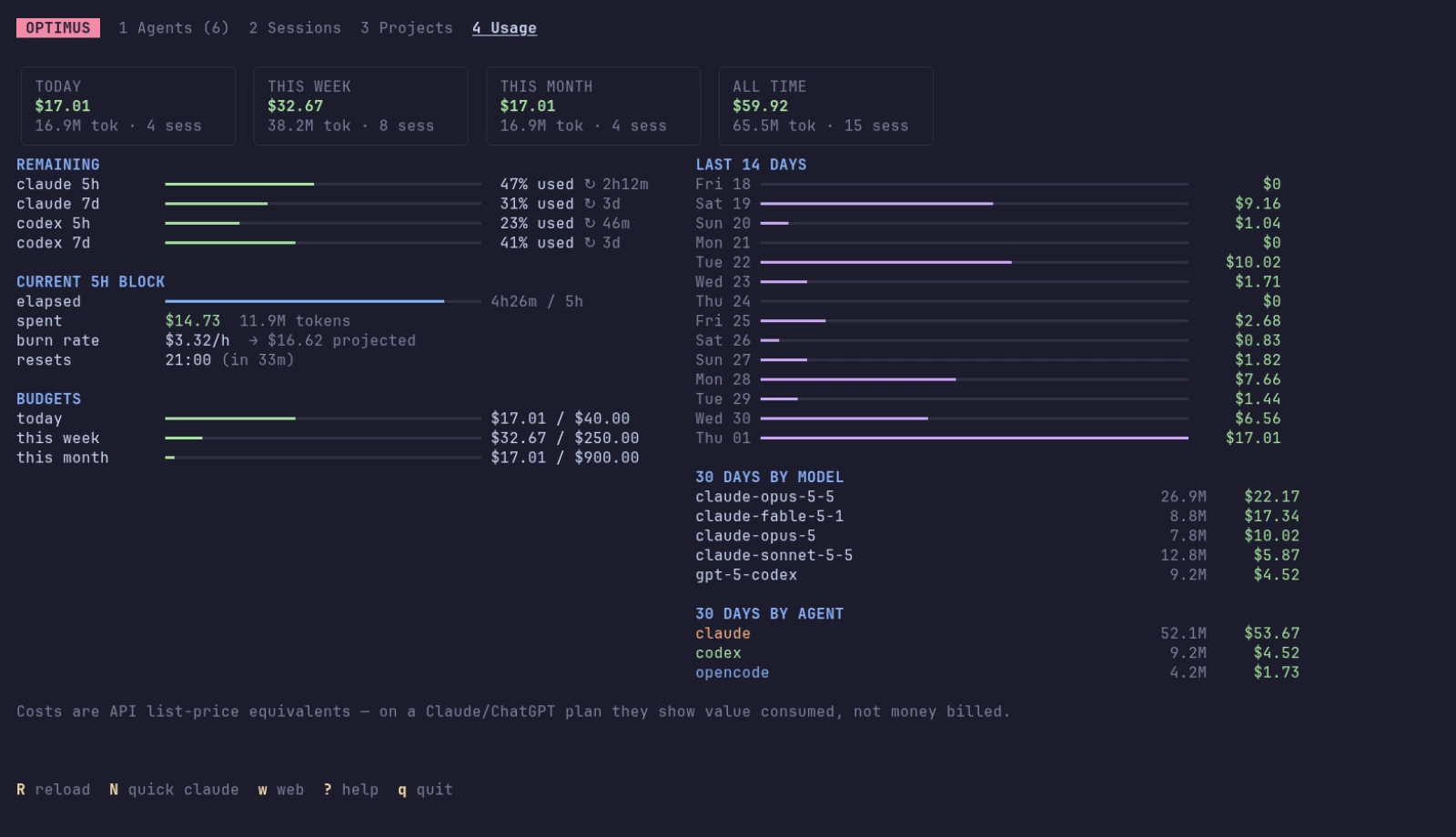
Spend#
optimus usage                         # by day, last 30 days
optimus usage --by model --since 7d   # day | month | model | agent | project | session
optimus usage --since 2026-09-01 --json
Every assistant response's tokens are bucketed per hour and per model, including cache reads, 5-minute and 1-hour cache writes, and sub-agents. They're priced at API list rates.
What the dollars mean
On a Claude Max or ChatGPT plan you're not billed per token. optimus shows what the same traffic would cost on the API, which is a good measure of how much you use the plan. opencode's own cost is used for models optimus has no price for. Add or override prices under pricing in the config.
5-hour blocks#
Claude plans meter usage in 5-hour windows that start with your first message. optimus blocks lists them; the dashboard shows the current one with elapsed time, spend, burn rate and a projection to the end of the window.
Real quota#
| Agent | How optimus gets it |
|---|---|
| Claude | Claude Code only gives 5h / 7d usage percentages to its status line command. optimus config statusline --install makes optimus the status line and records each snapshot; an existing status line keeps working (chained). |
| Codex | read from the rate-limit events in Codex's own session logs; no setup needed |
Near the limit, optimus suggests continuing running sessions in another agent. See Sessions & handoff → When quota runs low.
As a bonus, the status line becomes a compact summary, including the rest of your fleet:
Fleet summary#
optimus fleet            # ⧉ 4 agents · ◆ 1 waiting · ● 2 busy · $17.01 today
optimus fleet --json     # for your own status bar, widget or script
The optimus multiplexer shows the same line in its status bar. It's built for frequent refreshes: it reads the states agents and the notifier already recorded instead of capturing screens, and caches today's spend for a minute.
Budgets#
optimus config set budgets.daily_usd 40
optimus config set budgets.weekly_usd 250
optimus config set budgets.monthly_usd 900
optimus config set budgets.block_usd 30
Budgets appear as bars in both dashboards and in optimus limits, turning yellow at 60% and red at 90%.
Per-session budget#
Every running agent shows what its session has cost so far, next to it in both dashboards and in optimus ps. With a per-session budget, that number turns red when a session passes it, and you get a notification at 1×, then again at 2×, 3×… the budget. That's the moment to check whether the agent is going in circles.